
How to Master Material Zones: Tutorial Guide
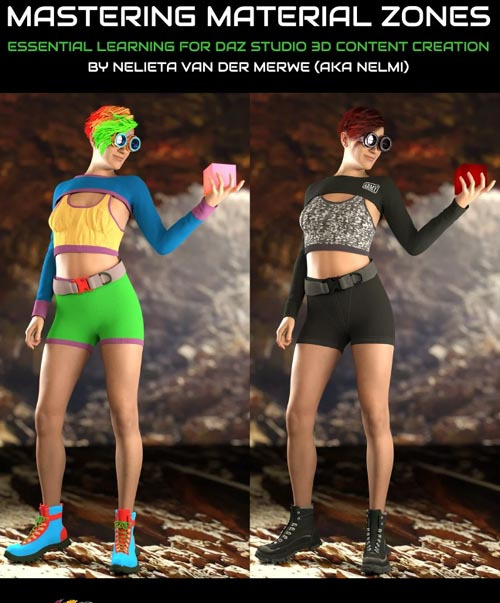
Understanding Material Zones provides a whole range of possibilities to customize your existing clothing content, and they are an essential tool for content creators. In this tutorial video set, Published Artist Nelmi will show you how to master Material Zones in Daz Studio AND the applications in her content creation stack: Marvelous Designer, ZBrush, and Substance Painter.
Nelieta (aka Nelmi) will show you this complete guide of how to create material zones so that you can:
1. Reuse older content (clothing and props) that can be used for dForce
2. Learn the process to aid you to in creating your own clothing/props
3. Apply multiple textures to 3D content
4. Understand a core and essential process for content creation in order to vend content successfully
This is for you if ...
- You are newcomer to content creation for Daz Studio
- You’d like to utilize older 3D content in your library
- You are familiar with the concept of material zones but have not explored all the options and potentials of these
This is for you if you want to accomplish ...
- Full control over your own material zones
- Saving money by reusing older content
- Using material zones in other 3D content modeling programs (eg MD/ZBrush)
- Better understanding a key foundational principal of content creation
Tutorial Content
Total tutorial video running time: 2 hours 58 minutes
Introduction
- About Nelieta’s content creation background and the tools
- Marvelous Designer
- Daz Studio
- ZBrush
- Substance Painter
Material Zones and Surfaces
- What are Material Zones?
- What are Surfaces?
- The importance of Material Zones and Surfaces in 3D Content Creation
Material Zones in Marvelous Designer
- How to set up Material Zones in Marvelous Designer
- Working with the Property Editor in Marvelous Designer
- Setting up more than one Material Zone
- A quick look at the UV map
- Exporting the obj to Daz or other modeling programs
Material Zones in Daz Studio
- Importing the obj into Daz
- More about the Tool Settings Pane in Daz
- Working with the newly created Material Zones (from MD)
- Renaming the Surfaces or combining surfaces
- Assigning textures to the Material Zones in the Surfaces Panel
- Assigning dForce settings to each material zone
Advanced options in Daz Studio
- Obj with no material zones
- Importance of a Clean Mesh with Quads
- Working with the Geometry Tool in Daz
The Geometry Tool in Daz
- Selecting Polygons to create material zones or surfaces.
- Selection Modes in the Geometery Editor Tool.
- Options in the Geometry Tool that Nelmi uses
- Creating a Loop.
Material Zones in ZBrush
- Importing the obj into ZBrush
- Activating the Polyframe
- Polygroups and Auto Groups with UV
- Splitting into Subtools and Masking the new groups
- Create new UV map
- Export the new obj
- Problems with material zones and GOZ
Working with Material Zones in Substance Painter
- Importing the obj into Substance Painter
- Applying textures to the surfaces
- Importance of UV Map and Surface Setup before import
Conclusion
- Material Zones create a lot of possibilities to assign new surfaces to old clothing
- Important tool for content creators
- Texture artists need more material zones
- A worthwhile and relatively easy tool to learn
- A word of caution about creating too many material zones
Tutorial Sample
About the Presenter: Nelieta Van Der Merwe (aka Nelmi)
Nelieta is a 3D content creator, born and bred in South Africa and currently based in Cordoba, Argentina. She has a formal education in Corporate Finance and worked as a Commercial Financial Director for a large steel company in a previous life.
She is passionate about photography and started out in the 3D world by creating PBR textures from her own photos. That gradually progressed to Daz Iray Shaders and the creation of texture add-ons for 3D clothing and content.
Learning how to make and rig 3D clothing was not an easy task, and each project is a learning curve. She likes to challenge herself and focuses on quality 3D content.
Nelieta uses Marvelous Designer, Daz Studio, ZBrush, Photoshop, Illustrator, and Substance Painter.
Nelieta is a firm believer of sharing one's knowledge, which is the road to empowerment. She loves traveling and exploring different cultures, watching crime movies on Netflix, and an early morning cup of coffee. She speaks three languages: Afrikaans, English, and Spanish.
SUPPORT LINK
https://www.daz3d.com/how-to-master-material-zones-tutorial-guideDOWNLOAD
https://nfile.cc/***/86455-DAZ.rar.htmlYou must login to show full link. No account? Create Account