
The Geometry Editor: An In-Depth Tutorial Guide
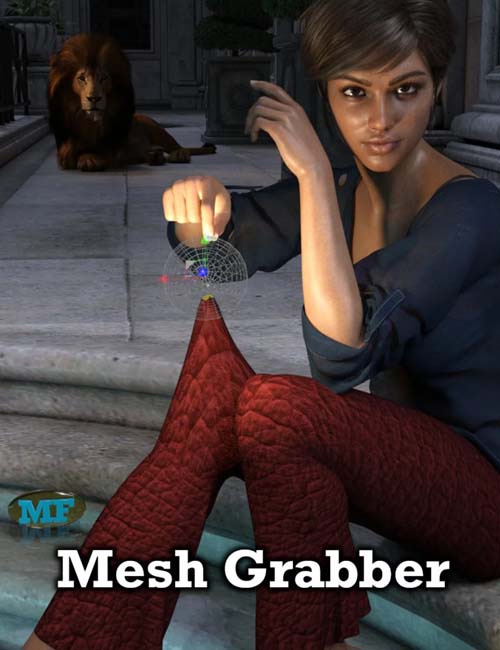
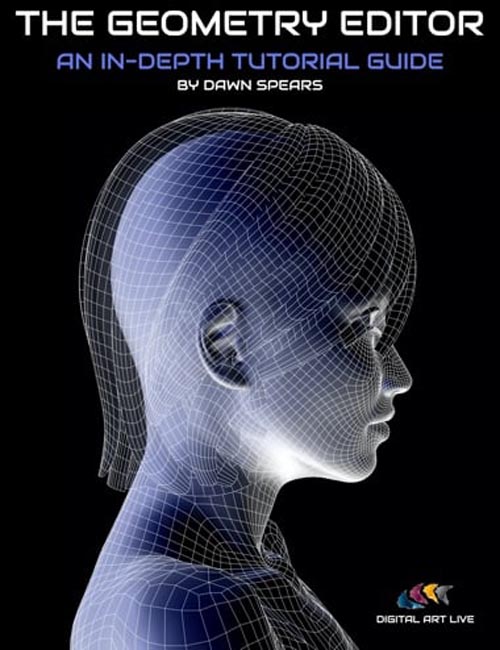
The geometry editor provides a powerful tool to enable you to fix and edit your existing content and even create new model content. It also acts as an in-built "kit bashing" engine, maximizing the use of your content library and allowing you to split models into more components.
Dawn Spears provides an in-depth set of tutorials including a wide range of 14 case studies to demonstrate how effective the geometry editor is. She includes best-use examples of the editor tools, as well as caveats where in some cases other software may prove more effective.
Tutorial set total running time: 3 hours and 3 minutes
This product contains both a set of 13 MP4 files and a searchable video library version with optional captions. Any word or phrase spoken during the recordings can be searched for across the entire library.
Video 1: Introduction to basic geometry
Aims: Understand the very basics of how 3D models are created and why we need this as a foundation for geometry editing.
- How models are constructed of vertices, edges, and polygons
- How to view these in the viewport
- Why the different wireframe views are useful when editing geometry - which one does what etc.
Video 2: Overview of the geometry editing tool
Aims: Understand the uses and limitations of the tool and when to use it over other methods such as hiding a body part/surface
- Where to find it.
- How to dock/undock the pane
- The importance of the tool settings panel
- The context-sensitive right-click menu
- Linking back to the basic geometry intro, how to use the different selection modes.
- Note that we will mostly be focusing on editing polygons as this is most useful for us as render artists.
Using the tool to remove polygons
- Different selection modes (marquee, lasso, and drag)
- The selection modifiers (grow/shrink/connected and loop)
- Why loop selection is so important
- Importance of orthographic views for accurate selections
Video 2a: Adding the Geometry Editor tool to the toolbar
- Aims - Learn how to customize the Daz toolbar
- A walkthrough of customizing the Daz toolbar and how to save it
Video 3: Case studies 1 & 2 (removing polygons)
- Aims - Understand how removing polygons can be used in real-case scenarios (in this case making windows)
- How to put a window in a flat wall plane - Alien Corridor Prop
- How to put a window in a full geometry (inside and outside) and plug the “holes” -
- Stucco wall plane
Video 4: Case studies 3 & 4 (removing polygons)
- Aims - Learn how we can use the removal of polygons to edit clothing items
- How to shorten a dress and remove sleeves from clothing.
- How to cut trousers so boots fit better
- Fixing troublesome poke-throughs
Video 5: Case studies 5 & 6 (removing polygons)
- Aims - Learn how to use Daz primitives to make our own lighting props and add these to a scene. Dealing with problematic hair
- How to make a cut-out sci-fi lighting from primitives for scene lighting
- Removing hair sections from the face, how to recover if you accidentally go too far.
Video 6: Case study 7 (removing polygons)
- Aims - Understand that we can apply these techniques across many applications e.g. environments.
- Editing environments, removing leaves from a scene where they are blocking the camera.
Video 6a: An examination of standard quad mesh vs a Marvelous Designer mesh
- Aims - Understand why some meshes may look quite different from each other and the ways we can deal with that.
- Demo of both meshes side by side.
Video 7: What are Surfaces and how we can use them
- Aims - Understand what a Daz surface is and what they are used for. Learn how to
- use the Surfaces tab and Tool Settings tab to make easier selections
- Revisit the dress shortening scene and make our own edits and add trim details
- Making areas of fabric transparent/sheer
- Making areas metallic
- Making our own surfaces on existing models
- Assigning shader materials to them
Video 8: Case Study 9 (Adding glowing strips to clothes and footwear — Saving your creations as presets)
- Aims - Learn how to add LED-style lighting to garments to create a sci-fi/Cyberpunk effect.
- Understand how we can then save these assets as wearable presets so we can use them again in a different scene.
- Adding glowing strips to clothes/shoes
- Using material zones to add transparency to areas
- Saving your creations
Video 9: Case study 10 (Making clothing out of primitives and surfaces)
- Aims - Understand how we can edit Daz primitives to make a simple clothing item
- and how we can use surfaces and dForce to texture and fit it correctly.
- Making a striped skirt and using dForce to fit it to the model
- Using different d-force settings on different zones (belt vs fabric)
Video 10: What the Rotate Triangulation of selected polygons does.
Video 11: Case study 11 (Kitbashing texture sets)
- Aims - Learn how to create your own combinations of textures
- Using surface copy and paste to make new texture combinations on an outfit.
- Using geometry editor and surfaces to remove parts of a texture set and reuse that on a different set.
Video 12: Splitting models into parts
- Aims - Understand how we can use geometry editor to split models into separate smaller parts. Understand that while this is useful it is more time-consuming than using traditional 3D modeling software.
- Why might we want to split models into parts?
- How to use Daz to deal with imported models from places like Turbosquid or
- KitBash3d that are all “lumped together”
- Case study 12: Splitting part of an outfit to make a separate belt
- Case study 13: Splitting a railway track from a subway station scene
- Case study 14: Splitting buildings from a large set (example used is by KitBash3D)
Video 13: BONUS Section - Making everyday objects from primitives
- Aims - Learn how we can make and texture everyday objects using Daz primitives and geometry editor
- Making a champagne glass and filling it with liquid
- Walkthrough of cocktail table scene as examples of other ideas
Sample Tutorial Segment
About the Presenter: Dawn Spears:
Dawn Spears lives near London and has gained a broad range of experience in DAZ Studio. She is a professional illustrator, regularly creating custom-made and engaging book covers for authors. She also is a 3D model content creator using ZBrush and Marvelous Designer, most recently creating custom models for an architectural visualization studio. Additionally, Dawn is a qualified teacher, specializing in computer science and is used to helping students understand complex ideas with step-by-step and bite-sized explanations.
SUPPORT LINK
https://www.daz3d.com/the-geometry-editor-an-in-depth-tutorial-guideDOWNLOAD
https://nfile.cc/***/86423-DAZ.rar.htmlYou must login to show full link. No account? Create Account