
Momma Told Me Not To Come
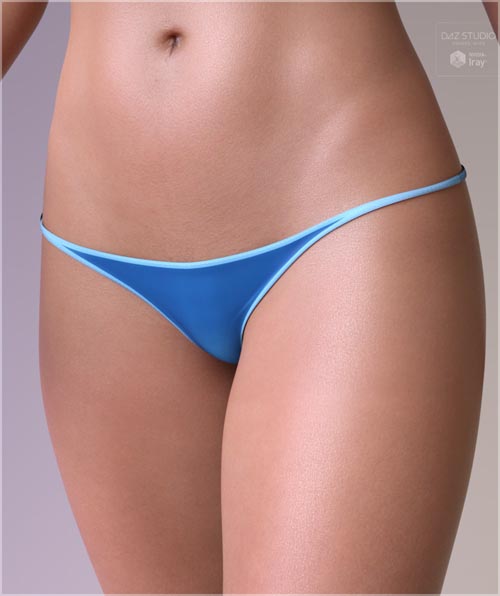

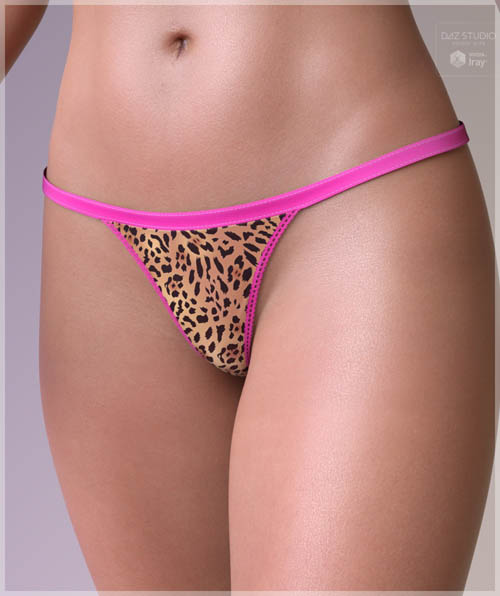

The MTMNTC (Mamma Told Me Not To Come) panty is created for Daz Studio Genesis 8 Females. It's a tiny panty that can be used as a swimsuit bottom, a stripper costume, underwear, whatever you like.
This product contains a number of both "Corrective" morphs and "Style" morphs. All are listed in the Parameters tab under "Morphs/Morph Loader", and are color coded. The Blue sliders are style morphs and the Yellow sliders are corrective morphs.
These morphs cover the most commonly desired shape changes and corrections.
Corrective morphs are:
Hip morphs for correcting any float or poke through with your character - left, right, both.
A glute morph for changing the "depth" of the glutes on the panty.
*****The above two were created with enough range for you "Big Butt" freaks ;)*****
A Mons Pubis morph for adjusting the depth of the mons area.
A Clitoral Hood morph for adjusting the clit area in or out.
A Thickness morph for adjusting the thickness of the panty. This is actually a Push Modifier and should be adjusted in small
increments.
Style morphs are:
Crotch Roomier, to make room for genitals and morphs of the labia.
Crotch Right.
Crotch Left.
Low Rise Front for making the front of the panty ride REALLY low on your model.
dForce:
Yes, these panties come loaded with a default, very simple dForce dynamic surface which is intended to assist you in snugging
up the panty and tightening the area between the mons and the thighs. You know what I'm talking about - where you don't get
a tight stretch on the front of the panties with most products, or you have to use a morph which may or may not get you what you want. Using this moderate "shrinking" dForce modifier, you'll get a good tight fit. NOTE: the "Thickness" morph mentioned above should be set to "0" before running a simulation. Once your simulation is finished, set this back to whatever thickness you want. I also recommend upping your "Smoothing Iterations" after running a simulation. This will smooth the fabric back out and give a nice, sleek look.
Textures:
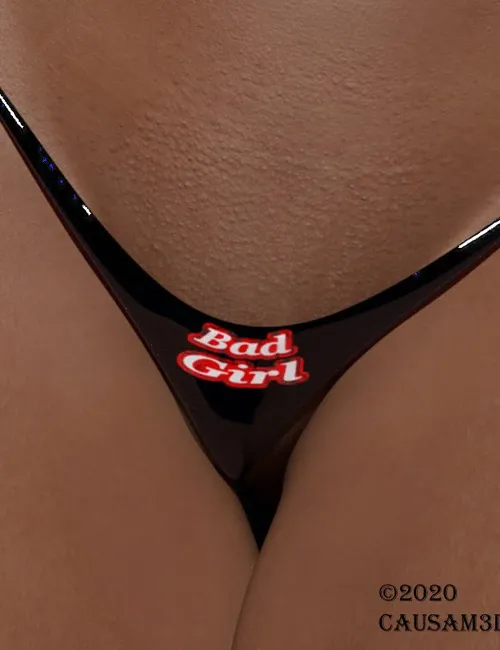
All textures are Iray. There are 20 in all, 10 "canvas" textures and 10 "gloss" textures. Each of these 10 is actually 5, but with another 5 "Bad Girl" textures in a subfolder with worded message which you can change in either Photoshop or The Gimp (or any compatible program) to be whatever you want. The textures called "Bad Girl" in the two subfolders load with those words by default. However, there are a few .PSD documents in the Runtime textures folder which you can load into Photoshop ( or, again, into something photoshop compatible like The Gimp) and simply change the text you'll see. There is also a UV png file, and the UV is also present as a layer in the PSD files, just to make sure you don't get lost. This is all you'll need to create your own looks. Let your imagination run with it!
SUPPORT LINK
https://www.renderhub.com/causam3d/momma-told-me-not-to-comeDOWNLOAD
https://nfile.cc/***/momma-told-me-not-to-come.rar.htmlYou must login to show full link. No account? Create Account