
Soft Lower Body for Genesis 8 Female
Soft Lower Body for Genesis 8 Female description:
In DAZ Studio, when we put clothes on a G8F character, they only conform to the surface of the G8F model, rather than compressing the skin like clothes do in the real world. Some creators make HD morphs for G8F, so that when the clothing props they make are applied to the character, these HD morphs activate, making the character's skin appear deformed as if compressed by the clothes, thereby showing the elasticity of the clothes. However, most clothing props do not come with such HD morphs, so these clothes may not perfectly display their texture when rendered.
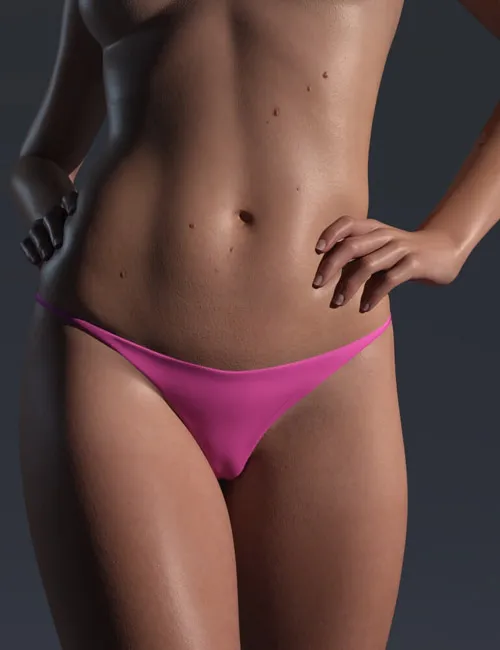
Soft Lower Body for Genesis 8 Female provides a complete set of tools and workflow to make your clothing props appear tighter and more elastic when rendered. It replaces the part of the G8F model from the waist to the calves with a high-resolution geograft, and uses a dedicated plugin in Blender to make your clothing model compress this geograft. Finally, an importer script is used to bring the compressed deformation result back into your scene, achieving an effect similar to the aforementioned HD morphs. The entire process takes only a few minutes.
Additionally, this geograft comes with navel and crotch morphs. The crotch morphs can be used to show the camel toe shape that appears in the character's crotch area due to tight pants.
Because it involves some operations in Blender, please be sure to watch the video tutorial on this page and roughly understand the usage workflow of this product before deciding whether to purchase it. Furthermore, since this high-resolution geograft has as many as 165,000 polygons, your DAZ Studio might experience a brief lag when importing the compressed deformation results. Don't worry, this is normal, you just need to wait a few seconds for the importer to complete its work.
Installation Guide:
On the right side of the page, specifically below my avatar, there is a link to the Soft Lower Body for Genesis 8 Female User Guide. You can learn about the installation steps for this product and its various tools and parameters through that manual.
Product Compatibility:
This product is compatible with DAZ Studio versions 4.21 through 4.24 and works with Genesis 8/8.1 Female(s).
SUPPORT LINK
https://www.renderhub.com/raze-m/soft-lower-body-for-genesis-8-femaleDOWNLOAD
https://nfile.cc/***/soft-lower-body-for-genesis-8-female.rar.htmlYou must login to show full link. No account? Create Account