
Look at Control 2 - Direct Every Gaze, Pose, and Camera Move
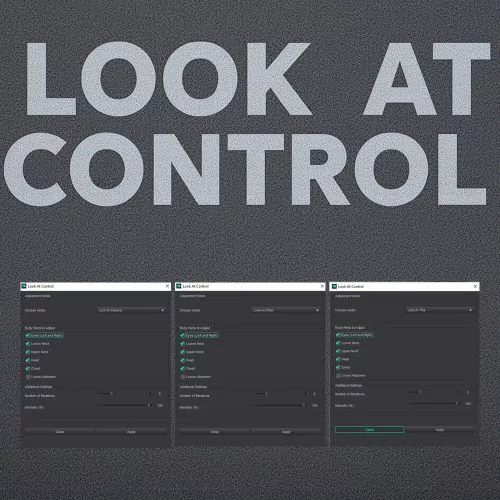
The complete rebuild of Look At Control: a precise new aiming engine, a follow rig, animation baking, crowd direction, and one• click shortcuts. All in one tool.
What it does
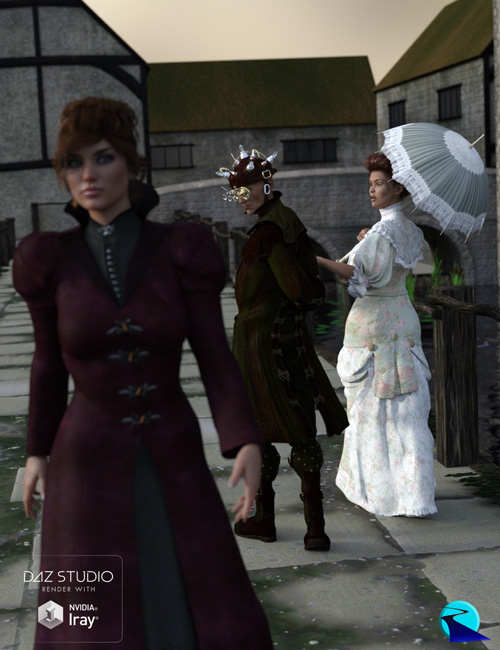
Make any Genesis figure look naturally at the camera, at another character, at an object, or along the camera direction, with full control over eyes, neck, head, chest, and abdomen. Pose a single portrait or direct a whole crowd, freeze a frame or bake a moving shot.
• Why version 2 is a separate product (please read if you own Look At Control)
Look At Control 2 is not a patch on the original. It is a ground• up rebuild with a new engine and a much larger toolset, so it ships as its own product at its own price. Here is the honest reasoning, so the choice is yours and clear:
• The original Look At Control still works and is still supported. Nothing you bought is being taken away or broken. If the four core modes are all you need, the original keeps doing exactly that.
• Version 2 is a different scale of product. The original is a single dialog with four modes. Version 2 adds a follow rig, animation baking across a frame
range, whole• figure turning, crowd direction, an in• window scene picker, named presets, a built• in help guide, and five one• click shortcut scripts. That is a new product, not a free feature drop.
• You pay only for what you want. Keeping them separate means owners of the original are never forced to re• buy to keep what they have. Version 2 is there if the new power is worth it to you.
In short: the original is the simple, proven tool. Version 2 is the full studio.
What is new in version 2 (at a glance)
If you know the original, here is what version 2 adds:
• A precise new aiming engine. The head locks onto the target while the turn spreads naturally down the spine. No more "close, but looking slightly off."
• In-window Scene picker. Choose the figure and the target from a list inside the plugin. No need to close the dialog to change your selection. It mirrors and updates the viewport selection.
• Follow rig. Create a target the eyes follow live: move it in the viewport and the eyes track it in real time. Re-apply the body to the new position with one click.
• Animation baking. Bake a look-at across a frame range, so the figure tracks a moving camera, prop, or walking character over time.
• Scene direction. Turn the whole figure to face the target (not just the spine), and apply to every selected figure at once for crowds.
• Five one-click shortcut scripts. Re-apply any mode with no dialog, bound to a keyboard shortcut, using your last settings and remembered target. Fast tweaks without opening the interface.
• Named presets. Save and name your own looks, delete them, and reopen with your last preset restored. Three built-in looks included.
• A tabbed, modern interface with a built-in help window and a tip on every control, plus per-figure step-by-step undo and a non-destructive live preview.
Everything it can do
Four target modes
• Look At Camera (portraits; pick a specific camera or use the active view)
• Look At Other (mutual gaze between two characters)
• Look At This (gaze at any prop, light, null, or camera)
• Look At Direction (gaze aligned with the camera's view)
Per• part control
• Independently enable eyes, upper neck, lower neck, head, chest, and lower abdomen
• Intensity from 0 to 100 percent, plus a subtle head tilt
• Eye convergence with an anti cross• eye safeguard for close• up targets
Workflow
• In• window Scene list to pick the figure and target
• Non• destructive live preview
• Step• by• step undo (pose several figures, undo them one at a time)
• Named presets: save, delete, and auto• restore your last one
• Built• in help guide and tooltips on every control
Rig, animation, and direction
• Follow rig: eyes track a target null live; re• apply the body on demand
• Animation: bake a look• at across any frame range for a moving target
• Turn to Face: rotate the whole figure to face the target
• Crowd: apply to all selected figures at once
Five shortcut scripts (no dialog, for keyboard shortcuts)
• Apply Camera, Apply Other, Apply This, Apply Direction, and Re• apply Body
Compatibility
• DAZ Studio 4.23 and above, including DAZ Studio 6
• Genesis 9, Genesis 8 and 8.1, Genesis 3, and Genesis 2 (male and female)
What you get
• DAZ Studio scripts, installed via DAZ Install Manager (DIM) or manually
• The main plugin plus five one• click shortcut scripts, each with its own icon
SUPPORT LINK
https://www.renderhub.com/oldhiccup/look-at-control-2-direct-every-gaze-pose-and-camera-moveDOWNLOAD
https://nfile.cc/***/look-at-control-2-direct-every-gaze-pose-and-camera-move.rar.htmlYou must login to show full link. No account? Create Account