
Art Official Intelligence: DAZ Studio-Centered Workflows with AI Tools
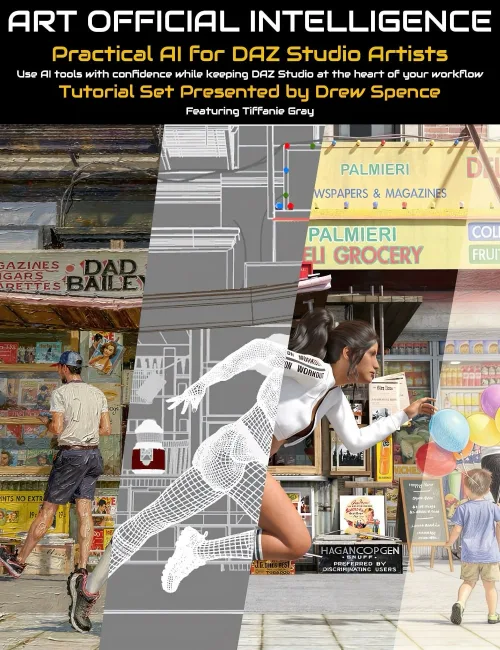
Art Official Intelligence: DAZ Studio-Centred Workflows with AI Tools
AI is changing the creative landscape — but where does that leave the DAZ Studio artist?
Art Official Intelligence is a practical 4-part training series presented by Drew Spence, created for DAZ Studio users who want to explore modern AI-assisted workflows while keeping DAZ Studio at the heart of the creative process.
This product is not about replacing your artwork with prompts or shortcuts. It is about learning how AI can support your existing skills in scene creation, storytelling, composition, mood, effects, and post-work enhancement.
Drew Spence brings a unique perspective as a comic creator and long-time DAZ Studio artist, combining CGI illustration, photorealistic image work, and narrative production into an artist-first approach.
What You Will Learn
Session 1 — Leading the AI
Create your scene in DAZ Studio first, then use AI tools for lighting shifts, atmosphere, polish, mood changes, and finishing touches.
Session 2 — Running Parallel with AI
Use AI alongside DAZ Studio to generate supporting assets such as effects, backgrounds, scene extensions, and custom visual elements.
Session 3 — Being Led by AI
Learn how AI images can act as references for stronger composition, lighting, scale, camera choices, and storytelling ideas — then recreate and improve those ideas inside DAZ Studio.
Session 4 — AI as Workstation
Combine techniques into a modern hybrid workflow for faster experimentation, more creative options, and stronger finished results.
Why This Product Matters
- Keep DAZ Studio central in the AI era
- Learn practical workflows instead of hype
- Improve renders with lighting, mood, and polish tools
- Solve creative bottlenecks like crowds, effects, and backgrounds
- Use AI as an assistant — not the artist
- Gain insight from a professional visual storyteller
Included in This Product
- 4 live class recordings with real-time teaching, discussion, and demonstrations
- 4 polished pre-recorded companion sessions for clear step-by-step learning
- Bonus behind-the-scenes videos for each session where Drew explores the DAZ Studio scenes, lighting, setups, and creative decisions used in the course
- Practical examples and commentary throughout
- Artist-first guidance for hybrid creation
- Workflow ideas you can apply immediately
Who It’s For
- Existing DAZ Studio users
- Comic creators and visual storytellers
- Artists curious about AI but cautious about authorship
- Creators wanting to stay relevant while protecting artistic identity
AI is here. The question is: who leads — you, or the machine?
SUPPORT LINK
https://www.daz3d.com/art-official-intelligence-daz-studio-centered-workflows-with-ai-toolsDOWNLOAD
https://nfile.cc/***/116302-DAZ.rar.htmlYou must login to show full link. No account? Create Account