
MicroDrive G8 Procedural Animation
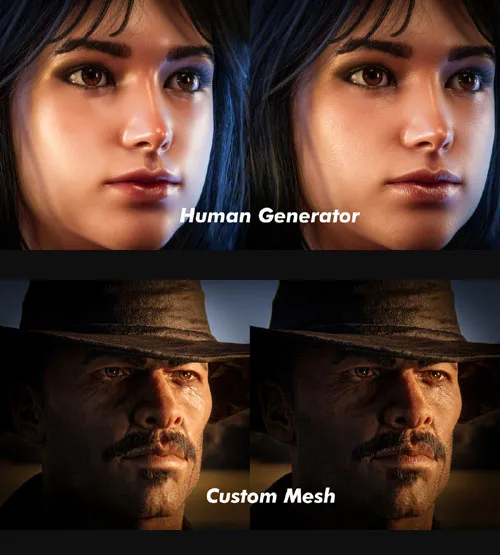
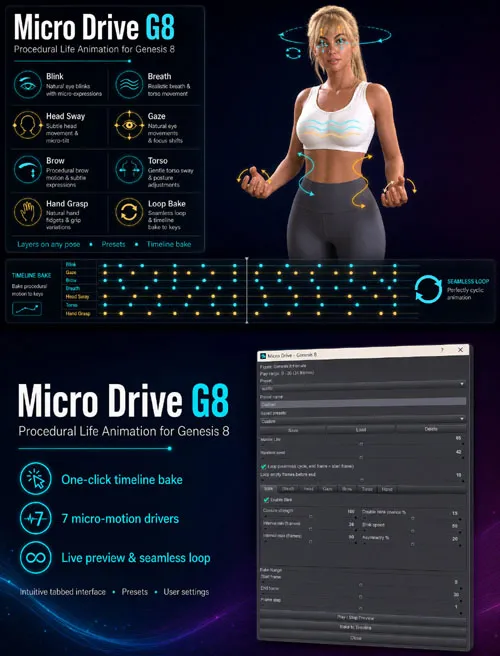
Bring still poses to life with subtle, natural micro-movement. Micro Drive adds blink, breathing, head sway, eye gaze, brow motion, torso sway, and hand fidget — layered on top of any pose and baked directly to your timeline.
Procedural micro-animation for Genesis 8: blink, breath, head sway, gaze, brow, torso, and hand grasp — with presets, loop support, and one-click timeline bake.
Micro Drive G8 is a Daz Studio script that adds believable idle life to Genesis 8 figures. Instead of animating every tiny movement by hand, you choose a preset, adjust the drivers you need, and bake smooth micro-motion onto your play range.
The script works additively — it reads your existing pose at each frame and layers animation on top. Body motion, facial expressions, and hand details stay intact.
Each driver has its own tab with an enable toggle and dedicated controls. Use built-in presets (Subtle, Normal, Cinematic, Dialogue) or save your own. A random seed gives you variations without starting from scratch.
Loop mode creates seamless cycles for idle loops and background characters: animation runs up to a configurable gap before the last frame, keys are cleared in that gap, and the final frame is sealed to match the first.
Features
Blink — Random intervals, double-blink, asymmetry, adjustable speed
Breath — Chest and abdomen motion, sighs, breath holds, shoulder shrug
Head Sway — Side-side, bend, and twist (morph-first, bone fallback)
Gaze — Independent eye side-side and up-down on both eyes
Brow — Subtle brow movement with asymmetry
Torso — Waist side-side, twist, and bend
Hand Grasp — Signed grasp drift for natural hand fidget
Layer on any pose — Additive animation; existing pose keys are preserved
Live preview — Play/stop preview on the current timeline range
Timeline bake — Bake to a custom frame range with optional step
Seamless loop — Configurable empty frames before end; end frame = start frame
Presets — Subtle, Normal, Cinematic, Dialogue
User presets — Save, load, and delete custom settings
Master control — Global intensity plus per-driver sliders
Random seed — Reproducible variation
How to Use
Select a Genesis 8 figure in the scene.
Run Micro Drive G8 from the Scripts menu.
Choose a preset or adjust drivers on their tabs.
Set your timeline play range (or use the Bake Range sliders).
Click Play / Stop Preview to test, or Bake to Timeline to apply.
Use Ctrl+Z to undo a bake if needed.
Tips
Start with the Subtle or Dialogue preset for talking scenes.
Use Cinematic for stronger, more visible motion.
Enable Loop for idle animations and background extras.
Increase Loop empty frames if the loop transition feels too abrupt.
Disable drivers you don’t need — fewer properties touched means faster bakes.
SUPPORT LINK
https://www.renderhub.com/intenzo/microdrive-g8-procedural-animationDOWNLOAD
https://nfile.cc/***/microdrive-g8-procedural-animation.rar.htmlYou must login to show full link. No account? Create Account