
Blender Hotkeys for DAZ

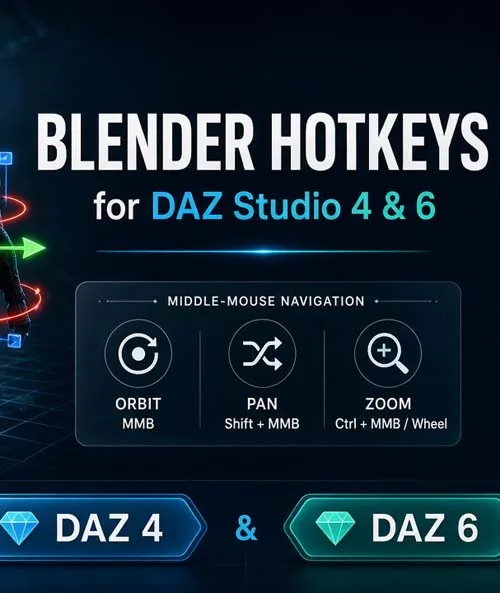
Plugin for DAZ Studio 4 & 6
Bring Blender-style viewport navigation and transform hotkeys into DAZ Studio. Open the Blender Hotkeys pane, enable Blender Mode, and work the way you already know.
FEATURES
Navigation
MMB Orbit
Shift + MMB Pan
Ctrl + MMB / Wheel Zoom
Transforms
G Grab / Move
R Rotate
S Scale
X / Y / Z Axis lock
Type digits Exact numeric value
LMB / Enter Confirm
RMB / Esc Cancel
Selection & Views
Shift + D Duplicate, then Grab
F Focus on selection
Numpad 1 / 3 / 7 Front / Right / Top
Numpad . Frame selection
Hotkeys are ignored while typing in text fields.
============================================================
COMPATIBILITY
============================================================
DAZ Studio 4 (Windows 64-bit)
DAZ Studio 6.25 (Windows 64-bit)
Includes separate plugin builds for each version and install instructions.
============================================================
HOW TO USE
============================================================
1. Quit DAZ Studio, then copy the plugin DLL into your Studio plugins folder.
2. Start DAZ Studio and open Window > Panes > Blender Hotkeys.
3. Enable "Blender Mode".
============================================================
SHORT CARD PREVIEW
============================================================
Blender-style navigation and G/R/S hotkeys for DAZ Studio 4 and 6: orbit, pan, zoom, axis locks, numeric input, Shift+D, Focus, and Numpad views — all from one Blender Mode toggle.
SUPPORT LINK
https://www.renderhub.com/intenzo/blender-hotkeys-for-dazDOWNLOAD
https://nfile.cc/***/blender-hotkeys-for-daz.rar.htmlYou must login to show full link. No account? Create Account