
HD Morph Plugin for Genesis 9

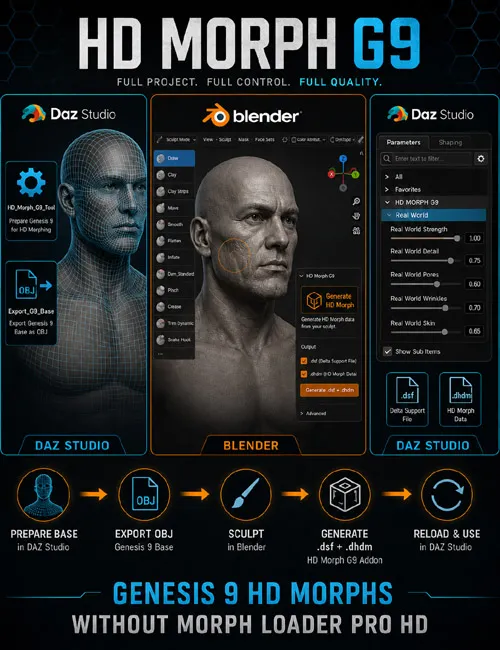
Create Genesis 9 HD morphs in Blender — no Morph Loader Pro HD required
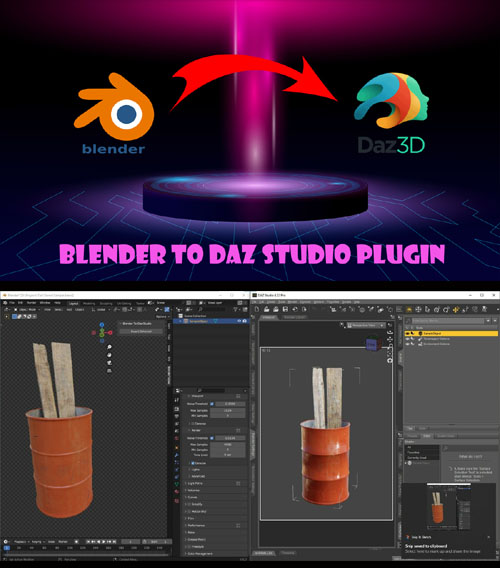
A complete pipeline for sculpting HD detail on Genesis 9 and exporting ready-to-use .dsf + .dhdm files for DAZ Studio. DAZ loads the morphs automatically — just reload the figure with the included script.
What's Included:
DAZ Studio — 3 scripts
HD_Morph_G9_Tool — Loads Genesis 9, sets Base resolution and SubD 0, and removes eyes, mouth, tear ducts, eyebrows, and eyelashes.
Export_G9_Base — Exports the base mesh to OBJ for Blender (SubD 0, Blender-friendly scale).
Readme — In-app help with workflow steps and troubleshooting.
Blender — HD Morph G9 add-on
Import Genesis 9 base mesh from OBJ
Multires for HD sculpting
Generate .dsf + .dhdm with one click
Auto-install morphs into your DAZ content library
Topology validation (no adding or removing vertices)
DAZ: run HD_Morph_G9_Tool → Export_G9_Base → save G9_Base.obj
Blender: Import G9 Base OBJ → Sculpt → Generate HD Morph
DAZ: run HD_Morph_G9_Tool again → Parameters → Actor → Full Body → Real World → SubDivision Level ≥ 2
Key Benefits
No Morph Loader Pro HD — morphs work via standard .dsf + .dhdm files
Full control — sculpt in Blender with familiar Multires workflow
Auto-install — morphs are copied to My Morphs/HD/ in your DAZ library
Built-in help — Readme script with workflow and troubleshooting inside DAZ Studio
Mesh validation — the add-on warns you if topology has changed
SUPPORT LINK
https://www.renderhub.com/intenzo/hd-morph-plugin-for-genesis-9DOWNLOAD
https://nfile.cc/***/hd-morph-plugin-for-genesis-9.rar.htmlYou must login to show full link. No account? Create Account