
OCD (One Click Damage) v2.0 Full (Blender)
by BBlK | on 26-Feb-24 | 0 comments |
Related Articles
Dynamic Damage
...

FPE Universal Horns Add-On Damage for Genesis 9
FPE Universal Horns Add-On Damage is a second texture...

FPE Universal Horns Add-On Damage for Genesis 8.1 Male
FPE Universal Horns Add-On Damage is a second texture...
N-Gone Pro - 1 Click Asset Optimization for Blender v1.35
N-Gone Pro - 1 Click Asset Optimization for Blender v1.35...

One Click Age - Instantly Age Any Material With A Click
Say goodbye to the tedious process of manually adding...
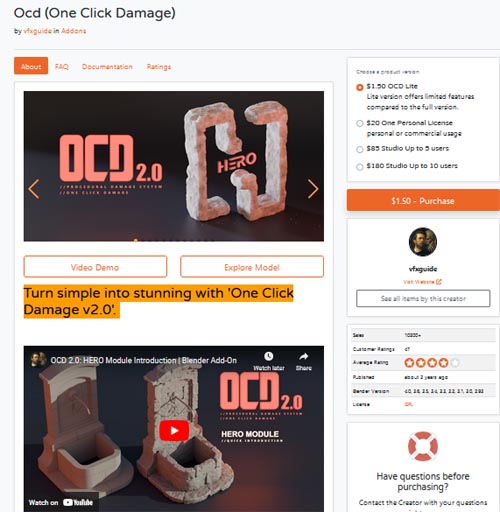
OCD (One Click Damage) v2.0 Full (Blender)
This ultimate tool adds realistic wear with just a click. Choose your model, adjust, and instantly enjoy a highly detailed, lifelike asset.
Turn simple into stunning with 'One Click Damage v2.0':
HERO Module (new): Adds amazing details to objects.
Damage Swap: Easily transfers damage effects between objects for consistent damage or noise types.
QuickFix: One-click automatic error correction for selected objects.
Smart Scaling System: Compatible with any object and unit scale.
Smart Pattern Changer: Change noise patterns with a single button.
Add-on Preferences: Customize "Damage Resolution" and material assignments.
Multi-Selection Feature: Apply damage to multiple objects simultaneously.
Instant Visual Feedback: See real-time adjustments on your model.
Slim UI: Easy navigation with essential sliders.
Procedural Noises: Offers hundreds of unique damage variations.
Auto Material Assignment: Smartly assigns materials to damaged areas, with flexibility in material assignment.
RECALL: Revert changes or apply new ones even days later.
Procedural Approach: Saves time and effort, allowing easy changes without starting over.
https://blendermarket.com/products/ocd
Warning! You are not allowed to view this text.
DOWNLOAD
https://nfile.cc/***/.rar.htmlYou must login to show full link. No account? Create Account
Dead link?. Comment bellow to request new link.
Category: Other Vendors |
Note: Now support Premium only because I have no more time to update for free users
Related Articles
Dynamic Damage
...
FPE Universal Horns Add-On Damage for Genesis 9
FPE Universal Horns Add-On Damage is a second texture...
FPE Universal Horns Add-On Damage for Genesis 8.1 Male
FPE Universal Horns Add-On Damage is a second texture...
N-Gone Pro - 1 Click Asset Optimization for Blender v1.35
N-Gone Pro - 1 Click Asset Optimization for Blender v1.35...
One Click Age - Instantly Age Any Material With A Click
Say goodbye to the tedious process of manually adding...
Information
Users of Guests are not allowed to comment this publication.