
TexturePaintHelper


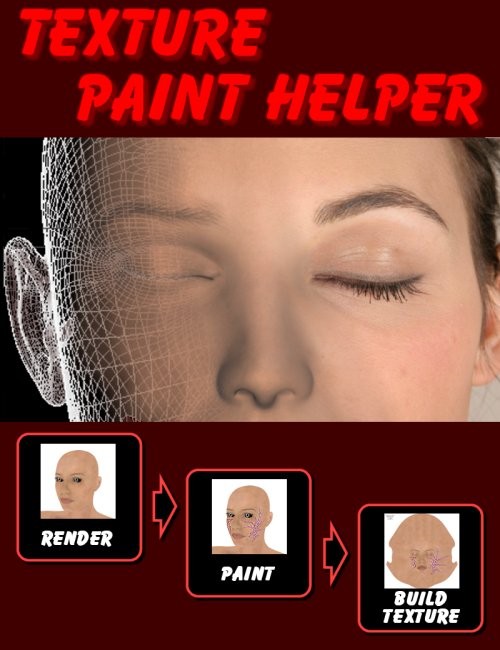
A simple guide to start using TexturePaintHelper:
1. Controls - how to navigate within the 3D view
You can rotate, pan or zoom the 3D view easily using your mouse.
The commands are:
1. Clicking with the left mouse button and dragging will rotate the 3D view;
2. Clicking with the right mouse button and dragging will pan the 3D view;
3. Using the mouse wheel will zoom in and out the 3D view;
4. if your mouse does not have the wheel, you can keep pressed the shift key with clicking and dragging with the left mouse button.
2. The workflow
Creating a modified texture with TexturePaintHelper it's very simple.
Just follow the quick steps below:
1. Open your 3D model with the menu command “Figure - Load figure” (the model can be Aiko, Victoria ot whatever else);
2. Load your base texture (the texture you want to get modified) with the menu command “Figure - Load mat pose”;
3. Hide any unwanted material (e.g. eyelashes or cornea);
4. Hide any unwanted group (e.g. eyes);
5. Apply morphs (e.g. close the eyes);
6. Select on the 3D view the image you want to work on;
7. Render the image with the “Save” command;
8. Edit the image with your favourite program (may be Photoshop, Paint Shop Pro, Gimp or others);
9. Load the modified image with the “Open” command and rebuild the textures.
3. Multiple editings
You can paint your model from various points of view and then add the generated textures together to create a unique texture.
To do this, save the textures as “transparent overlay”, so you can use them as layers and easily combine them in the final texture.
Limitations:
TexturePaintHelper uses extensively OpenGL in the 3D view preview. Textures too big for older video cards will be be sized down with loss of detail in 3d view (no loss of detail in the generated textures);
Compressed files (CRZ, PPZ and OBZ) are still not supported. Before using compressed content you must uncompress it with command/script available on Poser.
SUPPORT LINK
https://daz3d.com/catalog/product/view/id/6867DOWNLOAD
https://nfile.cc/***/6867.rar.htmlYou must login to show full link. No account? Create Account