
DAZ Studio Render Engines : Essentials Guide
by BBlK | on 21-Dec-23 | 0 comments |
Related Articles
DAZ Studio Mastery : Tutorial Set
Do you want to transform your ideas into mesmerizing 3D...
HDR Lighting and Sky Domes in Daz Studio
Learn how to create and use HDR lighting domes in Daz...

Hot Bedroom
Something special for your Valentine's renders... A...
DAZ Studio Iray Pro Lighting
Discover how you can get your hands on extremely quick...
Optimizing DAZ Studio: Memory, Rendering, Scenes and Workflow
If you have worked with DAZ Studio for any length of time,...
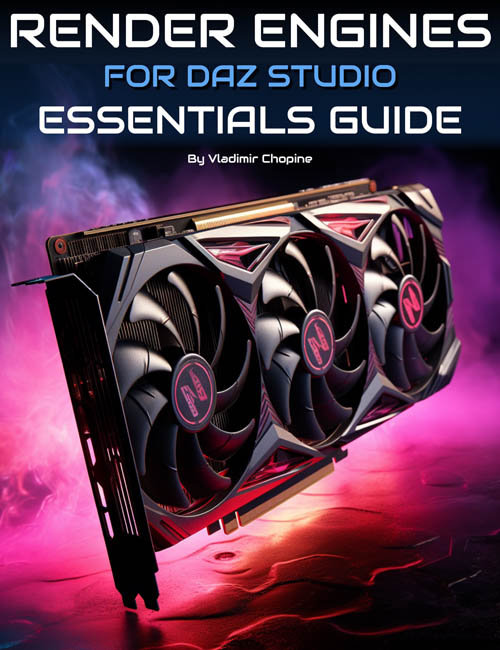
Understand and tap into the power of the DAZ Studio render engines with a tutorial video set by Vladimir Chopine. This guide breaks down the technicalities and optimizations to assist in using all three of DAZ Studio's built-in render engines.
Part 1: Rendering Foundations and Advanced Techniques
- Understanding Render Engines: Gain essential insights into IRay and Filament. Learn the nuances of their applications and which one is best suited for your needs.
- Optimization Techniques: From understanding viewport to enhancing computer performance, delve into more intricate settings that impact render quality and speed.
- Deep Dive into IRay: Discover iRay settings, the principles of ray tracing, path ray tracing, and more. Learn about rendering's memory requirements, material types, and the key differences between linear and non-linear lights.
- DAZ Studio Capabilities: Explore PBR materials, MDL (Material Definition Language), emissive colors, glossiness, and challenges with translucency. Understand the importance of shaders, texture quality, and their role in defining rendering quality.
- AI-Powered Techniques: Benefit from the AI-powered denoising built inside the IRay engine and discover the wonders of denoising. Learn about tone mapping, HDR dome lighting, and more.
Part 2: DAZ Studio UI and Optimizing Workflow (Duration: 39 minutes)
- UI Overview: Get acquainted with DAZ Studio's user interface, focusing on the viewport and its myriad options.
- Enhanced Rendering with NVIDIA Array: From initialization to understanding its prerequisites like CUDA processors, become proficient in using NVIDIA Array for optimal results.
- Advanced Properties and Techniques: Get a grip on tone mapping, camera simulation options, PBR vs. MDL materials, bump maps, normal maps, gloss coloring, and more.
- Lighting Mastery: Understand virtual domes, environmental lighting, and how to create and position lights in your scene for the best effects.
- Render Set-up and Modes: Dive into the basics of DAZ Studio's render setup, discover various render modes, understand the benefits of progressive rendering, and adjust intricate settings for optimal results.
- Conclusion: Wrap up with crucial pointers on how to optimize render engines in the DAZ Studio workspace.
Supporting Documents
We include a glossary of terms used in the tutorials and tips for both Iray and 3Delight.
Video Format and Total Running Time
2 x MP4 videos at 1920 x 1080. Includes searchable versions of videos with optional closed captions.
1 hour 54 minutes
Sample video
SUPPORT LINK
https://www.daz3d.com/daz-studio-render-engines--essentials-guideDOWNLOAD
https://nfile.cc/***/92470-DAZ.rar.htmlYou must login to show full link. No account? Create Account
Dead link?. Comment bellow to request new link.
Category: Daz3D |
Note: Now support Premium only because I have no more time to update for free users
Related Articles
DAZ Studio Mastery : Tutorial Set
Do you want to transform your ideas into mesmerizing 3D...
HDR Lighting and Sky Domes in Daz Studio
Learn how to create and use HDR lighting domes in Daz...
Hot Bedroom
Something special for your Valentine's renders... A...
DAZ Studio Iray Pro Lighting
Discover how you can get your hands on extremely quick...
Optimizing DAZ Studio: Memory, Rendering, Scenes and Workflow
If you have worked with DAZ Studio for any length of time,...
Information
Users of Guests are not allowed to comment this publication.