
Photorealistic Avatar Creation Tutorial


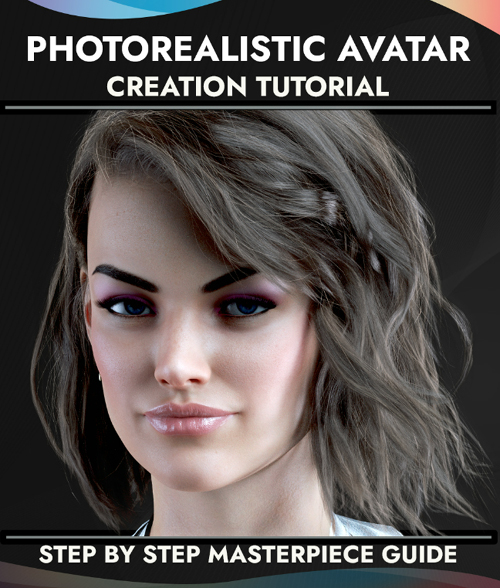
Looking to create realistic, ultra-high-resolution 3D avatars? Don't know how to start? Look no further. In this tutorial, we'll show you how to take advantage of Daz Studio's powerful software to create lifelike 3D avatars that are perfect for image rendering, gaming, animation, or AR/VR applications.
With this 136-page .PDF tutorial, you'll learn how to pose and texture your avatar's face and body and how to dress them in realistic clothing. We'll also show you how to add ultra-realistic hair, eyes, and skin and how to add dynamic lighting and shadows to bring your avatar to life. By the end of this tutorial, you'll have everything you need to create stunningly realistic 3D avatars.
If you've ever dreamed of creating your own photorealistic Daz avatar that looks just like a masterpiece, or even better, this guide will provide you with all the information you need to create a beautiful and realistic avatar within a couple of hours, without any previous knowledge needed.
This tutorial is for anyone who wants to create photorealistic avatars from Zero to Hero in no time.
It covers all of the main aspects, tips, and tricks on how to choose the right character, clothing, hair, textures, lights, rendering secrets, cameras, and posing.
This tutorial will show you how to set up your scene, create your avatar, and render it out to create a high-quality image. You'll learn how to use Daz's powerful tools to create a realistic, lifelike avatar that you can use for any purpose.
So whether you're looking to create an avatar for a final image or a video game, or just want to have some fun creating a 3D model that looks amazing, this tutorial is for you. Let's get started!
This tutorial is also part of the D-Talks! Chatbot Software Bundle.
Bonus: Postwork with Photoshop or similar programs to make adjustments and corrections will take your final image to an even higher level of realism.
SUPPORT LINK
https://www.daz3d.com/photorealistic-avatar-creation-tutorialDOWNLOAD
https://nfile.cc/***/87147-DAZ.rar.htmlYou must login to show full link. No account? Create Account